
Flexible risk registers
Build focused registers from a Jira project or a saved filter. Use JQL sub-filters to surface the risks that matter to a team, programme, department, or portfolio.
Risk Register features
Give teams a structured way to identify, assess, treat, monitor, and communicate risk—using the Jira workflows, permissions, search, and collaboration tools they already know.
One connected workflow
Risk Register brings the essential parts of professional risk management in Jira into a consistent, collaborative experience.
Build focused registers from a Jira project or a saved filter. Use JQL sub-filters to surface the risks that matter to a team, programme, department, or portfolio.
Define probability, impact, risk levels, colours, and matrix dimensions around your methodology. Apply a shared default model or tailor models to specific projects.
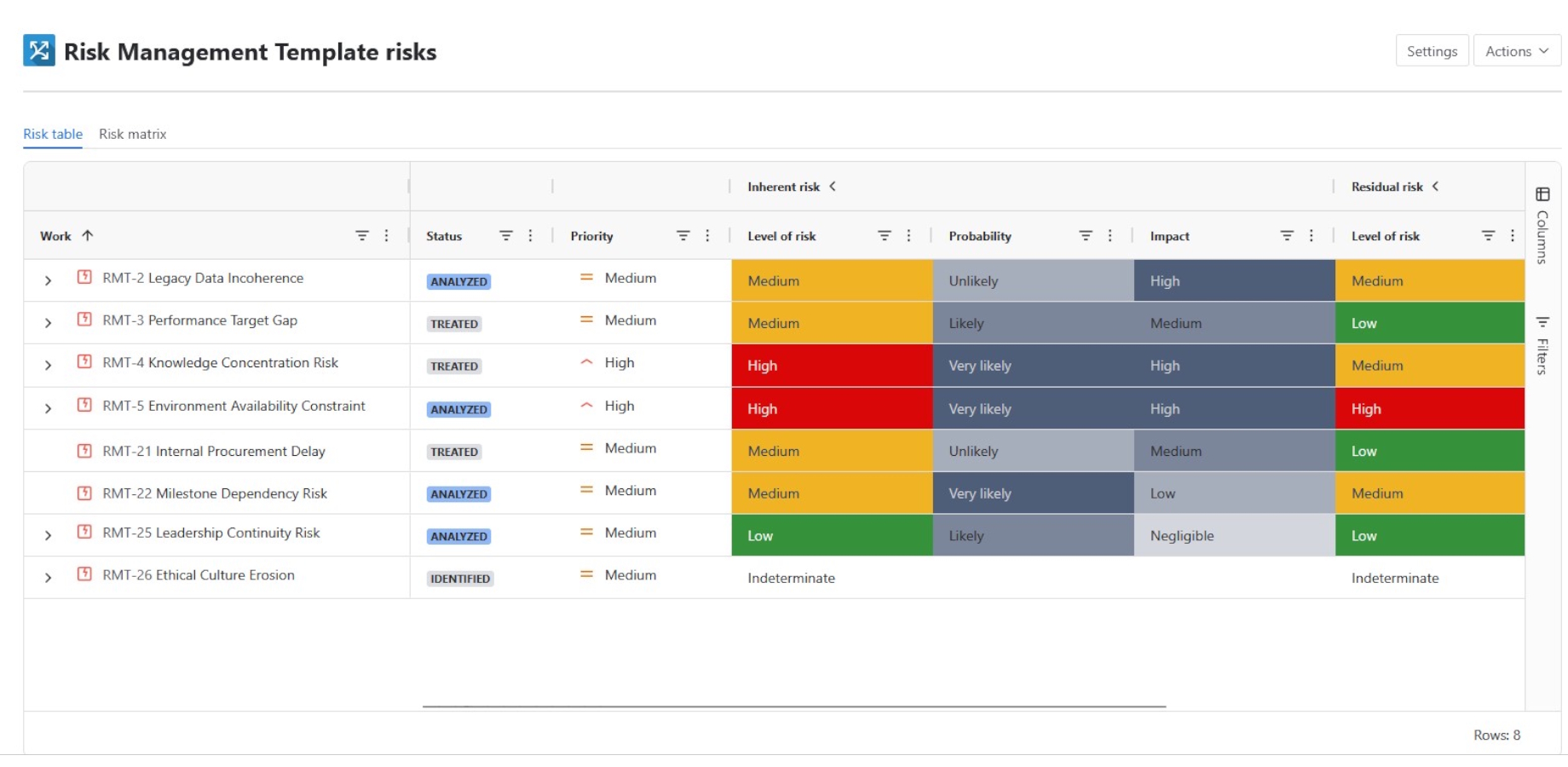
Assess exposure before and after treatment, compare the two views, and make the effect of your response strategy easier to understand.
Start faster with a curated library of 100 risks and 500 suggested treatments, written in an ISO-defensible format and ready to adapt to your context.
Create treatments as linked Jira work items, sub-tasks, or structured content. Assign responsibility, monitor delivery, and retain Jira’s workflow and audit history.
Move between detailed table views and visual matrices. Prioritise exposure, inspect a matrix cell, and open the underlying Jira work without losing context.
See exposure clearly
Use a familiar register for detailed review and a configurable matrix for rapid prioritisation. Compare inherent and residual exposure, then drill into the Jira work behind any result.
Communicate risk
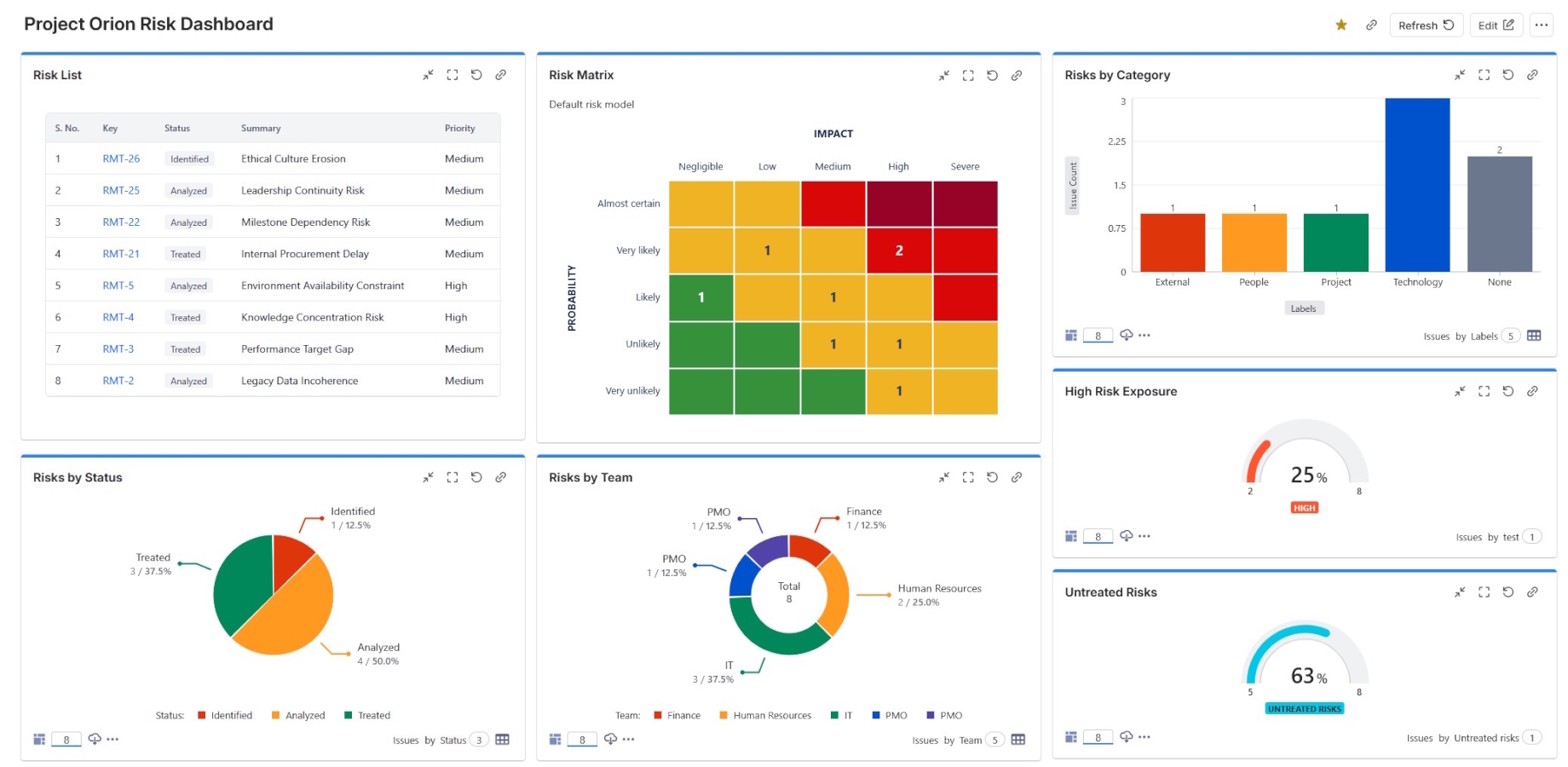
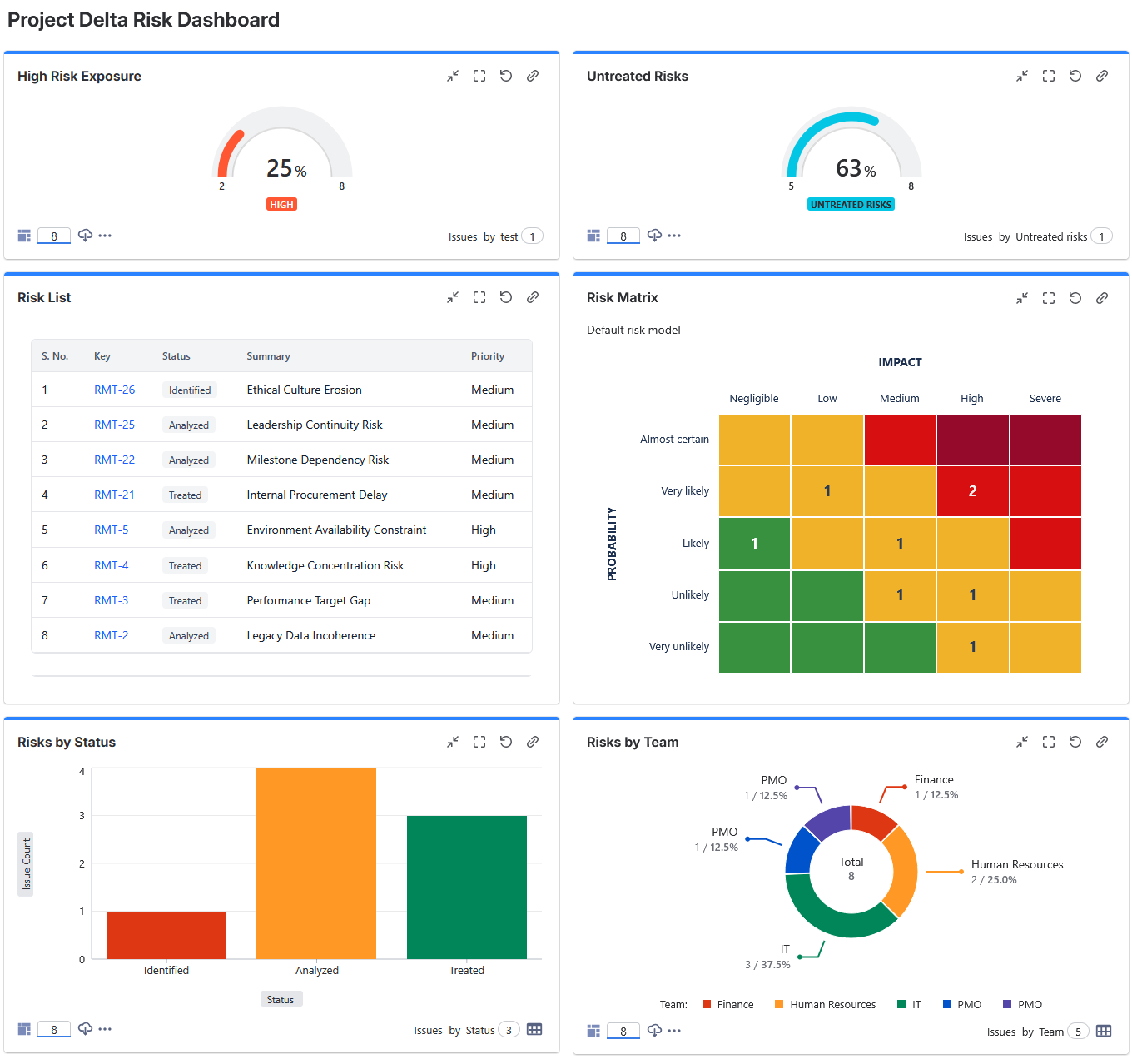
Add a risk matrix gadget to Jira dashboards to monitor distribution, report alongside other delivery information, and give stakeholders a current view of exposure.
Choose inherent or residual risk, select the applicable risk model, use a compact chromeless presentation, and open the matching risks directly from a matrix cell.
Bring the same live dashboard into Confluence with Smart Links, so risk information stays current wherever stakeholders work.
Built to fit your organisation
Use established Jira access controls and project permissions to govern who can view, assess, administer, and update risks.
Assess risk on the Jira work types that suit your operating model—including risks, incidents, changes, projects, and other configured items.
Adapt inherent risk, residual risk, probability, impact, and other labels to match the language your teams already use.
Inherit organisation-wide settings or override supported options for an individual Jira project without disrupting other teams.
Harmonisation keeps stored assessments aligned with the applicable risk model when configuration changes.
Use ownership, comments, workflows, search, issue links, and work-item history to make risk management part of everyday delivery.
Ready when your teams are
Replace fragmented spreadsheets with a visible, repeatable process that connects risk decisions to delivery in Jira.