
Jira work items
Represent and manage risks through Jira work items, keeping risk information connected to normal delivery and operational activity.
Connected by design
Keep risks connected to the projects, work items, people, permissions, workflows, dashboards, and documentation your organisation already relies on.
Native Jira integration
Risk Register turns Jira into a structured risk-management environment without creating a separate system of record. Risk remains connected to the context, teams, and delivery mechanisms already established in Jira.
Represent and manage risks through Jira work items, keeping risk information connected to normal delivery and operational activity.
Use existing Jira projects, users, groups, and permissions as the foundation for participation and access.
Incorporate relevant Jira system and custom fields, then sort, filter, and group risks using Jira data.
Open and edit the underlying work item without leaving the risk-register experience.
Jira work items and linked work
Display linked Jira work alongside each risk to provide a clear line of sight between identified uncertainty and the work being planned, delivered, controlled, or monitored.
Move from a static risk record to end-to-end traceability—from the risk itself to the actions, controls, and deliverables associated with it.
Jira dashboards
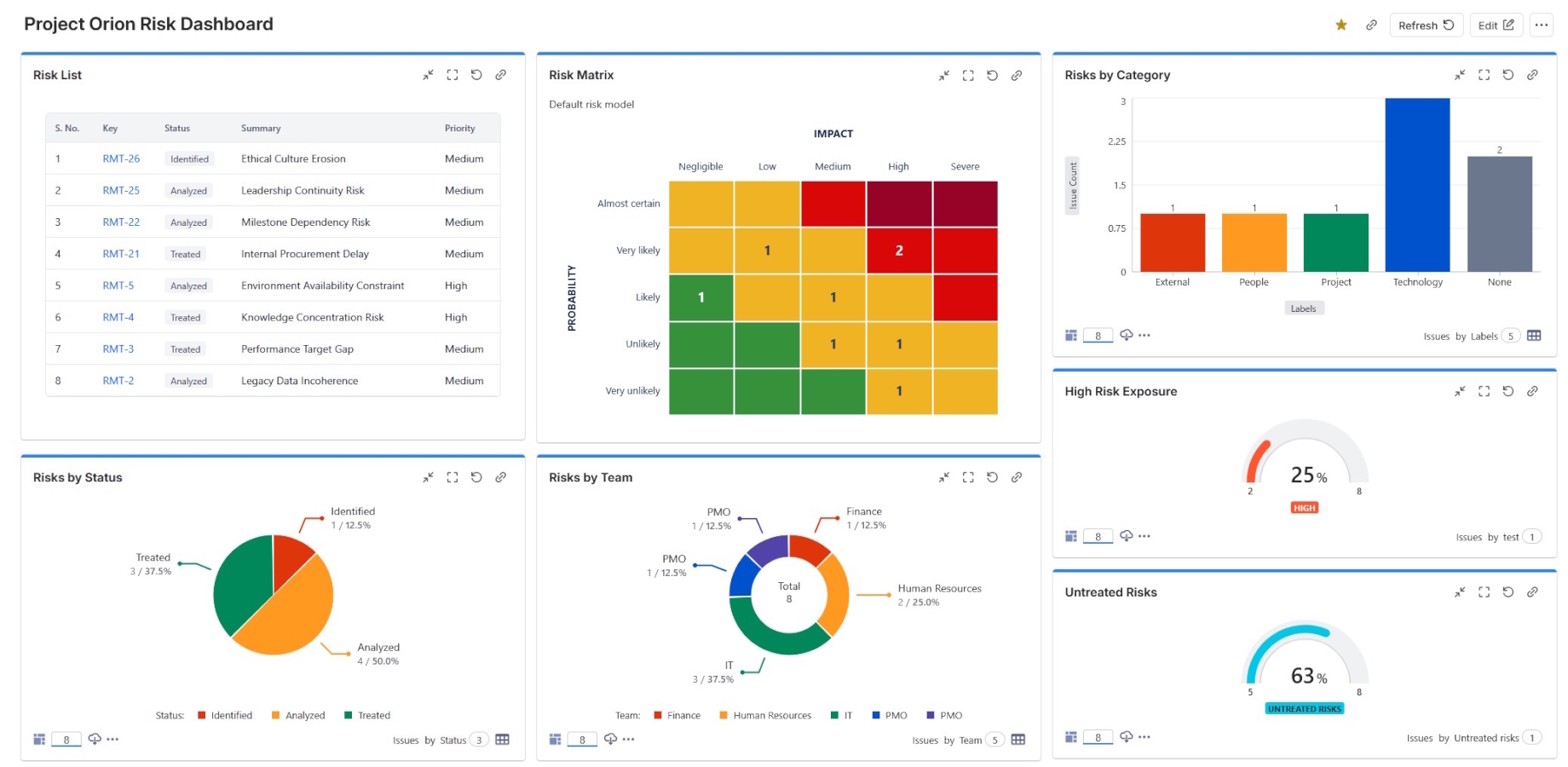
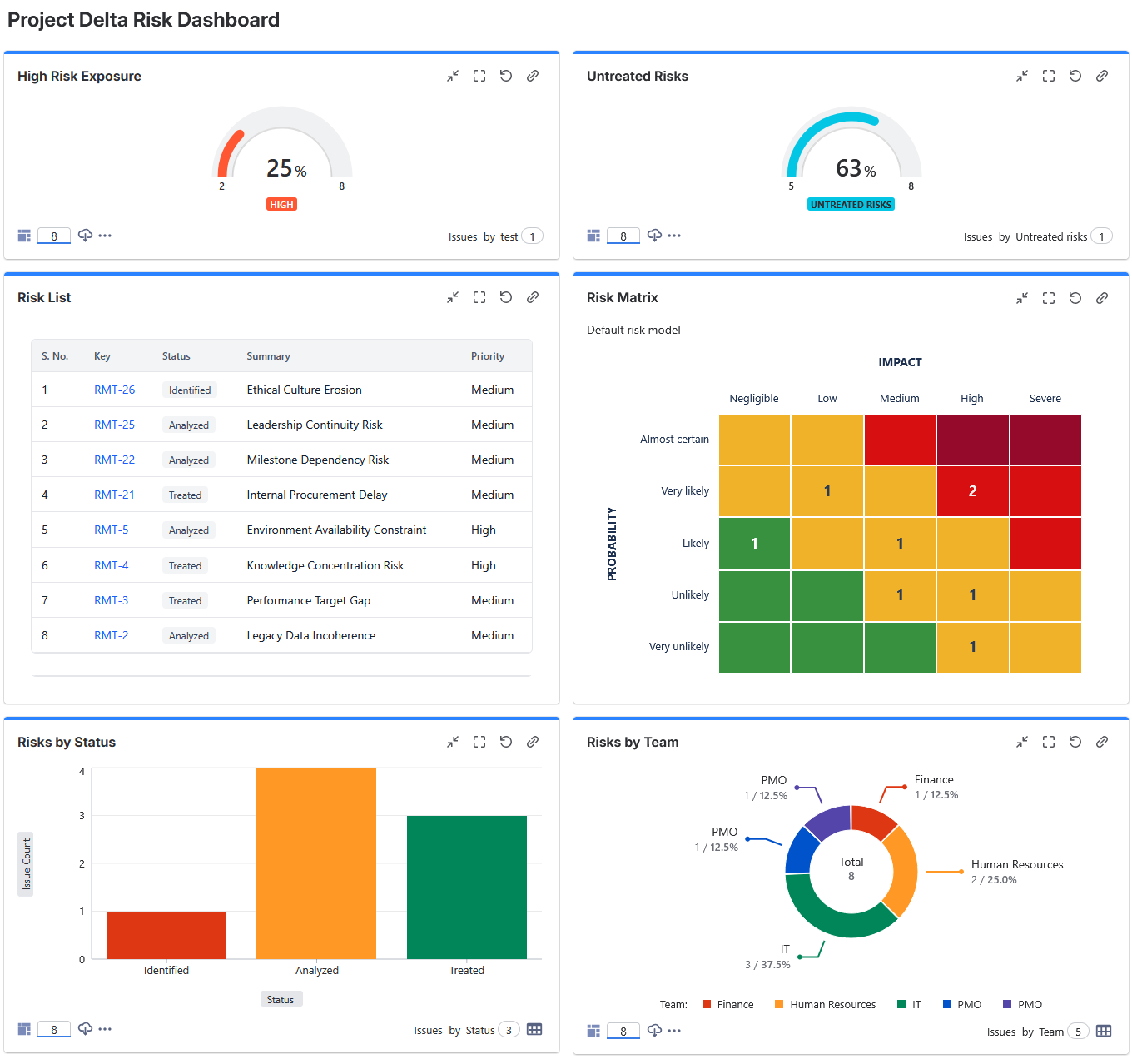
Add Risk Register’s matrix gadget to the Jira dashboards already used by executives, project managers, risk professionals, and delivery teams. Stakeholders can monitor exposure and open the underlying risks without first navigating to an individual register.
Place the Risk Register gadget alongside the many other Jira dashboard gadgets available to your organisation. Bring risk matrices together with delivery progress, work-item status, treatment activity, incidents, created-versus-resolved trends, time-in-status reporting, and other operational measures to create a fuller management dashboard.
Confluence
Use Smart Links with Jira dashboards to bring current risk information into the pages where teams prepare reports, governance packs, status updates, and decision papers.
Keep project documentation and risk information connected, current, and accessible from one workspace.
Jira search and reporting
Build risk registers from Jira projects or saved filters. Apply supported JQL sub-filters to focus a register, and incorporate risk work items into broader Jira searches, reports, and operational views.
Use field data to create targeted views for a team, programme, department, facility, region, or portfolio without duplicating the underlying risk records.
Jira configuration and custom fields
Retain the Jira structure your teams already understand while applying a consistent risk model across projects and adapting the experience to your organisation.
Bring the Jira information relevant to your teams into register views and reporting.
Use the work-item types that fit your operating model, including dedicated risk and treatment types where appropriate.
Adapt assessment language so Risk Register reflects the terminology your organisation already uses.
Apply shared defaults while tailoring supported settings to the needs of individual Jira projects.
Select owners and participants from the people already managed in Jira.
Keep access aligned with established Jira project permissions and governance.
CSV and external reporting
Use Jira search to locate the required risk work items, choose the relevant columns, and export the result for use in spreadsheets, external analysis and reporting tools, audit processes, and downstream workflows.
CSV-based workflows provide portable data exchange; they are not presented as direct native connectors to third-party reporting products.
One connected environment
Bring risk into Jira projects, delivery work, dashboards, Confluence reporting, and downstream analysis without creating a disconnected risk silo.